
Building a B2B prospect list from zero with no customers and no brand means starting with a hypothesis about who has the problem you solve, finding 50 people who match that hypothesis for free, and validating it with 10 conversations before you invest in any tool or paid list. You do not need a sales team, a CRM, or a brand. You need a clear problem statement, a willingness to search manually, and the discipline to treat the list as a test, not an asset. The goal is not a large database. It is a defensible understanding of who to contact, why now, and what to say. Once you have that, you can scale with confidence.
Definition
A B2B prospect list is a curated set of contacts who likely face the specific problem your product solves. When you have no customers and no brand, you cannot rely on past data or referrals. Instead, you build the list from second-hand signals: job titles, industries, company size, online activity, and public conversations. The list is a living hypothesis, not a static purchase. Each name on it is a candidate for a short validation conversation, not a sales pitch. The quality of the list depends on how well you have defined the problem and where you look for people who talk about it.
To place this decision in context, the Knowledge guides for sales brings together deeper guidance on the same field.
Prerequisites
Before you start searching, you need three things:
- A problem statement, not a product description. Write down the frustration your target faces, in their words. For example: "I spend 10 hours a week on scheduling emails" rather than "My tool automates email workflows."
- A specific target role and industry. Pick one role (e.g., Head of Sales) and one industry (e.g., SaaS companies with 10-50 employees). You can expand later.
- A research workflow. You will use free tools: LinkedIn, public job boards, Crunchbase, industry directories, and social media. No paid subscriptions required initially.
You also need the willingness to have 10 open-ended conversations in the first two weeks. Without that, the list stays a guess.
Steps
-
Define your ideal customer profile (ICP) from the problem. List the characteristics of a person who would feel the pain most acutely: company size, role, seniority, geography, tech stack. Keep it to three criteria.
-
Find where those people show up. Search LinkedIn groups, Reddit communities, subreddits, industry forums, event attendee lists, and Medium articles. Make a list of 5-10 places where your target persona asks questions or complains.
-
Collect 50 names using free search. Use LinkedIn's basic search (filter by role, company, location). Use the free trial of Sales Navigator if you need more filters. Also use Crunchbase for company lists and Google for conference speaker lists. Aim for 50 contacts that match your ICP criteria.
-
Enrich with basic context. For each name, note the company size, their role, and one signal of fit (e.g., they posted about a related problem). Do not buy enrichment data yet.
-
Prioritize 10 for outreach. Choose the 10 who have the strongest signal: their job title exactly matches, they work at a company of the right size, or they have recently complained about the problem publicly.
-
Conduct 10 validation conversations. Send a short, personalized message asking about their experience with the problem. Do not pitch. Listen for how they describe the problem, what they have tried, and what they value.
-
Refine your ICP and list. After the conversations, update your ICP criteria. Remove industries or roles that showed no pain. Add new ones that emerged. Then expand the list to 50 more names using the refined criteria.
To explore this point further, Inbound or Outbound? A One-Motion Test for Small B2B Teams details a step directly related to this decision.
Worked example
Imagine you are building a tool that helps small law firms automate client intake. You have no law firm customers.
- Problem: Lawyers in firms of 1-10 people spend up to 15 hours a week on manual intake calls and paperwork.
- ICP hypothesis: Solo practitioners or partners in firms with 2-5 attorneys, located in the US, who mention "client intake" or "paperwork" on LinkedIn.
- Finding 50 names: Search LinkedIn for "solo attorney" + "client intake". Find 30 names. Then search Crunchbase for law firms with 2-5 employees. Cross-reference with LinkedIn. Add 20 more. Total 50.
- Priority signals: Those who posted about "administrative burden" or "automation" in the last 3 months.
- 10 conversations: You reach out to 10 solo practitioners. In the conversations, you discover that solo practitioners are very interested, but lawyers in firms of 5+ are not the decision makers. You refine your ICP to solo practitioners only.
- Result: You now have a validated ICP and a list of 50 solo practitioners to engage further.
Common mistakes
- Buying a list before validation. A purchased list is static. It contains contacts that may not feel the problem. You waste time and money qualifying people who are not a fit.
- Targeting too broadly. Early-stage founders often try to cover "all SMBs" or "all sales teams". This makes the list too generic. Each conversation gives you a different answer, so you never learn.
- Not having conversations early. It is tempting to send a cold email campaign to the whole list. But without validation, you are testing your assumption, not your product. Conversations are cheaper and faster than a campaign.
- Over-relying on automation before understanding the buyer. Tools like automated LinkedIn outreach can scale a bad list. They cannot fix a wrong ICP. Build the list manually first.
This approach also connects with How to Prioritise Lead Conversations: A Practical Guide for Sales Teams and Founders, which clarifies the next choice.
Tools
- LinkedIn (free): Basic search with filters for title, company, location. Good for finding 50 names.
- Sales Navigator: More filters and saved lists. Check current trial eligibility and price before using it.
- Crunchbase: Review company profiles and funding information. CSV list export requires an eligible paid plan.
- Apollo (free tier): Provides contact data and intent signals. Limited free credits.
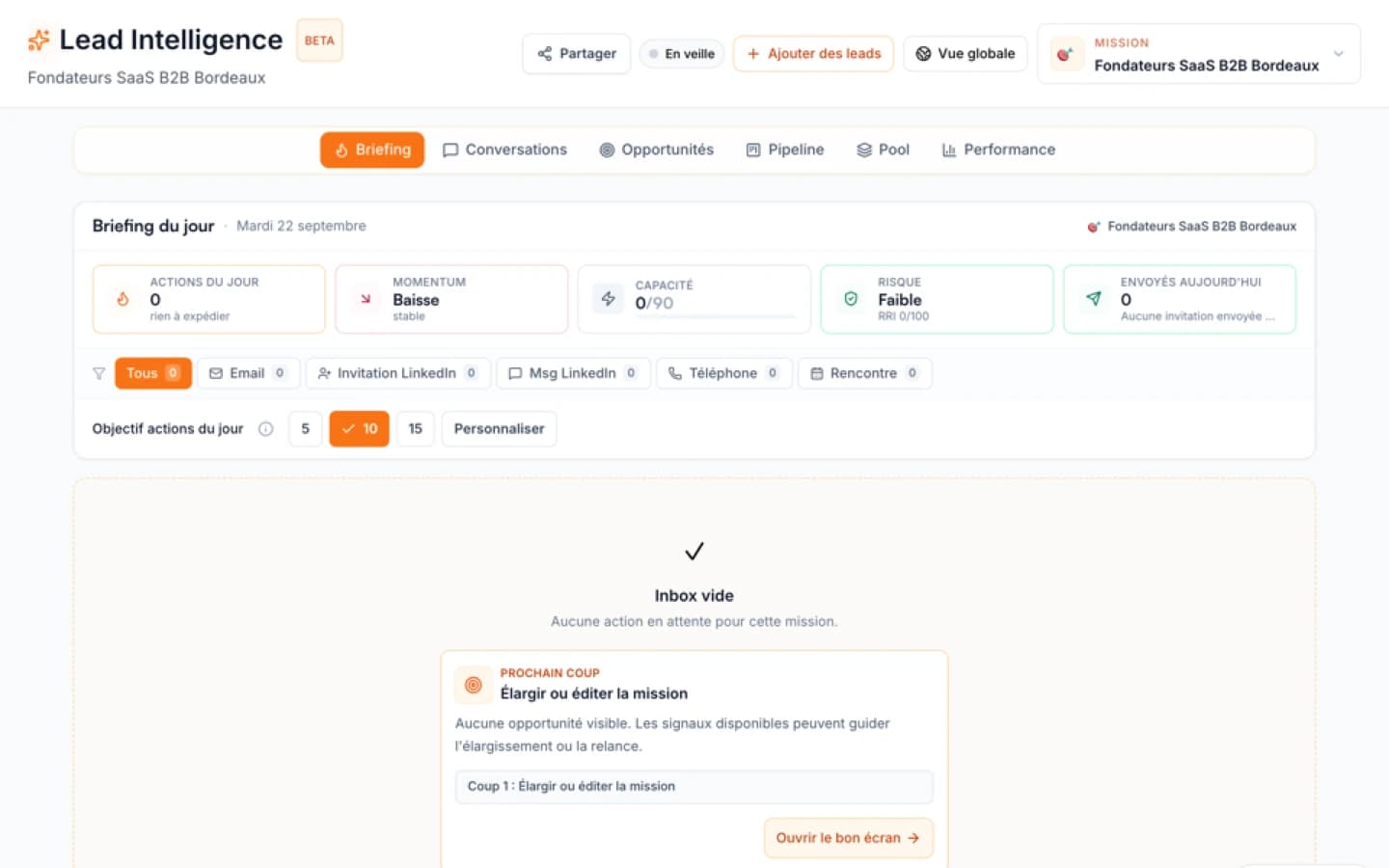
- Ember Lead Intelligence: Once you have a validated ICP, Ember can help you scale. It reuses the context from your business plan and ICP to find and prioritize leads automatically. It monitors signals across people and companies and suggests the next action. It can search LinkedIn Sales Navigator from your connected account or import contacts from CSV. Prioritized leads can appear once the targeting context is usable; timing varies by mission. This is for when you are ready to move from manual to automated.
When to use this method
Use this method when you are pre-revenue, have no existing customers, and need to validate your market before investing in paid acquisition. It is ideal for early-stage founders who want to test assumptions quickly and cheaply. It also works well when your product is for a niche where you cannot find a ready-made list.
In practice, The Ember Brief #01 - Stop stacking sales frameworks. Pick the one that fits your deal size. completes this framework with another angle on the same topic.
When not to use it
Do not use this method if you already have a validated ICP and a set of early customers. In that case, you can scale faster with data providers, paid enrichment tools, or referral programs. Also avoid it if your product is for a market so narrow that you cannot find 50 names within a week. In that case, start with warm introductions or community building.
Action plan
- This week: Write your problem statement and define your ICP in three criteria.
- Next 3 days: Spend 2 hours finding 50 names using free search. Use LinkedIn and Crunchbase.
- Next 7 days: Schedule and conduct 10 validation conversations. No pitches.
- After conversations: Refine your ICP. Add 50 more names using the new criteria.
- When you have a validated ICP: Consider using Ember Lead Intelligence to automate the prioritization and monitoring of your list, freeing you to focus on conversations.
Before deciding, Startup success rates and the next B2B sales decision helps connect this method with adjacent priorities.
Sources and methodology
This method is adapted from validated learning approaches in the startup community, including the Lean Startup methodology and principles of customer development. No proprietary data was used. The steps are based on common practices among early-stage founders who have successfully validated their market without a budget.
FAQ
Free diagnostic
Test your sales file
Drop an Excel or CSV and check its readiness without sending its rows to Ember.