
Choosing between native presentation assistants and conversational code generation comes down to a fundamental architectural choice: do you need an assistant embedded inside your existing slide master, or do you need a reasoning engine that constructs complete presentation decks from raw prompts and structured data?
For business teams evaluating presentation automation, Microsoft 365 Copilot and Anthropic's Claude represent two completely different approaches to solving the same operational bottleneck. PowerPoint Copilot operates as an in-canvas assistant that manipulates your corporate slides within the boundaries of SharePoint security and Microsoft Office templates. Claude takes a programmatic route, writing and executing code in the conversation to assemble a downloadable presentation file from scratch.
Understanding which tool fits your team requires examining how each handles design constraints, data synthesis, and downstream collaboration.
How In-Canvas Assistance Works in PowerPoint Copilot
Microsoft 365 Copilot lives directly within PowerPoint. Instead of generating raw file binaries outside your office suite, it interacts with the active presentation file in your desktop, browser, or mobile interface.
Template Continuity and Enterprise Governance
The core strength of PowerPoint Copilot is compliance with existing organizational standards. When your team has spent years refining corporate typography, master layouts, color palettes, and brand guidelines, moving outside PowerPoint often means spending hours reformatting generated content. Copilot respects existing slide masters, pulls from corporate asset libraries, and works within the security boundary of your Microsoft 365 tenant.
If your team is already comparing enterprise office assistants, such as in our analysis of PowerPoint Copilot vs Google Slides Gemini for Sales Teams, you know that in-ecosystem tools excel at referencing internal company materials stored in OneDrive or SharePoint.
Custom Skills and Workflow Adaptability
A frequent criticism of native slide assistants has been their rigid prompt handling. Microsoft began addressing this on the web platform by introducing extensible commands. As detailed in the Microsoft 365 Copilot release notes, Copilot supports user-defined custom skills in PowerPoint on the web, allowing teams to create tailored commands rather than relying solely on built-in functions.
This customization helps teams automate repetitive tasks like summarizing financial appendices or converting text outlines into specific layout cards. However, Copilot remains constrained by the PowerPoint canvas: it alters layouts element by element, which can still produce awkward text wrapping and misaligned visual hierarchies when dealing with complex strategic arguments.
How Programmatic Generation Works in Claude
Claude does not manipulate an open desktop application. Instead, it approaches presentation creation as a programmatic output task using server-side code execution.
Code Execution Behind the Chat Interface
When you ask Claude to produce a presentation, the model writes a script in real time, typically using presentation libraries, to generate a raw OpenXML presentation file (.pptx).
As documented in the Claude file creation guide, file creation operates through code execution across plans and imposes a maximum limit of 30 MB per file for uploads and downloads. Once the code finishes executing, the user receives a fully formed, downloadable PowerPoint file ready to open in any compatible presentation viewer.
Rapid Data Synthesis from Unstructured Briefs
Because Claude processes prompts within its conversational context window, it excels at transforming messy source materials into narrative structures. You can feed it transcripts, earnings reports, or technical memos, and Claude will distill the material into distinct slides, choose layout positions programmatically, and deliver a readable starting draft.
The limitation lies in visual precision. Because Claude cannot "see" the visual rendering of the generated file in real time during compilation, the resulting slides often rely on basic geometric arrangements, generic color blocks, and standard typography. It solves the blank-page problem and structuring challenges brilliantly, but the generated presentation almost always requires manual aesthetic refinement in a desktop presentation app.
Comparing Workflows: In-Canvas Assistant vs Programmatic Generation
To decide which approach aligns with your team, evaluate where your current slide-creation process loses the most time: drafting the narrative, structuring the argument, or enforcing corporate formatting.
| Evaluation Criterion | PowerPoint Copilot | Claude Code Execution |
|---|---|---|
| Primary operating environment | Inside PowerPoint desktop and web | Conversational web, desktop, and mobile chat |
| Generation mechanism | Direct UI manipulation of the active deck | Automated code execution creating a new file |
| Brand template preservation | Strong alignment with active slide masters | Generic programmatic styling requiring manual cleanup |
| Contextual reasoning depth | Limited to prompt window and connected M365 data | High reasoning capacity over unstructured source briefs |
| File size limits | Governed by tenant and OneDrive quotas | Maximum file size of 30 MB for uploads and downloads |
| Customization level | User-defined custom skills on web | Freeform custom code generation per conversation |
As the comparison shows, PowerPoint Copilot is an editing companion for existing presentations and branded environments. Claude is a generative engine that excels when you need to transform dense research into an initial slide deck outline without touching presentation software during the drafting phase.
Strategic Gaps in General Purpose Presentation AI
Both tools address parts of the deck creation workflow, but business presentations demand more than generating text boxes on a rectangular slide. Teams often discover two primary operational hurdles:
The Loss of Project Truth Across Formats
Presentations rarely exist in isolation. A quarterly business review deck usually stems from a broader project context that also requires an executive summary, a one-pager for stakeholders, and market landscape summaries. When teams use Claude to generate standalone files or Copilot to touch up slides, the contextual narrative remains trapped in a single conversation thread or slide file.
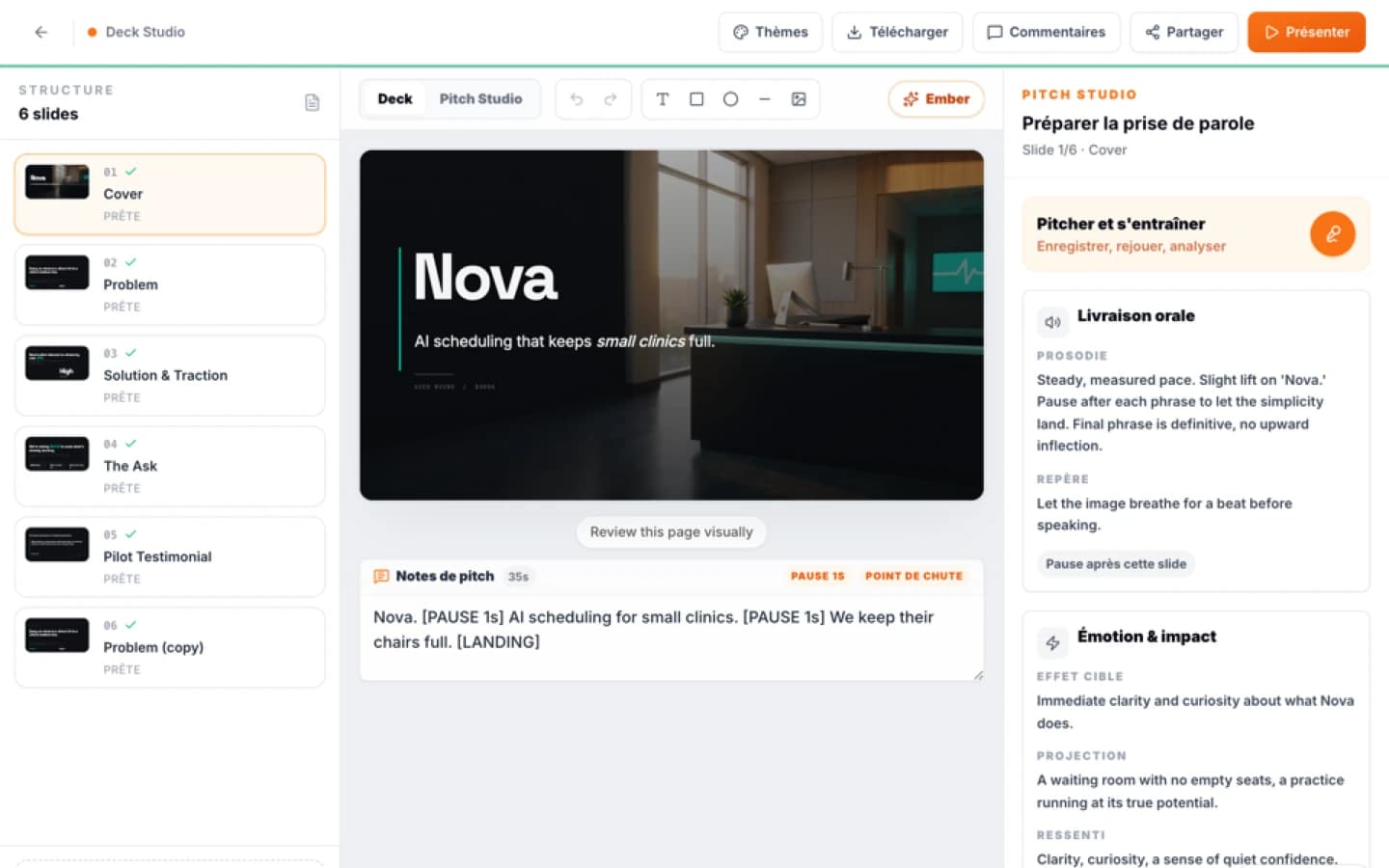
Dedicated creative environments bridge this gap by connecting project context directly to visual production. For instance, the Creation module in Ember orchestrates project data across eight distinct visual formats, including decks, investor one-pagers, business model canvases, and market maps. Because the deck generation draws directly from validated project parameters, the underlying business metrics remain grounded, reducing the risk of hallucinated metrics that often slip into conversational AI outputs.
Rehearsal and Delivery Preparation
A presentation deck is only half the battle; the delivery determines whether the initiative gets funded or approved. Neither Claude nor PowerPoint Copilot provides an integrated rehearsal loop that evaluates your verbal delivery against the actual slide progression.
Teams tackling high-stakes presentations often need structured oral practice. Within Ember, the speaking practice feature lets presenters rehearse their decks directly in the workspace, capturing runs up to 15 minutes to evaluate pacing, rhetorical structure, and slide-by-slide clarity. This shifts presentation tooling from simple file generation to end-to-end communication readiness.
Decision Framework: Which Tool Should Your Team Deploy?
To establish a clear workflow policy across your organization, use the following operational guidelines:
Choose PowerPoint Copilot if:
- Your organization relies heavily on strict, complex slide masters that brand compliance teams audit regularly.
- Your presentation assets and reference sources are already cataloged and permissions-managed across Microsoft SharePoint.
- You need users to polish, summarize, and tweak individual slides directly inside their daily desktop application.
- You want to equip team members with personalized commands via custom skills on the web interface.
Choose Claude PPTX Generation if:
- You frequently need to synthesize unstructured research, interview transcripts, or extensive white papers into an initial draft.
- Your team wants rapid presentation prototypes without opening presentation software during early brainstorming sessions.
- You have technical contributors who appreciate generating presentation files alongside data analysis in a single chat interface.
- You are comfortable with standard visual layouts that an internal designer or executive assistant will re-skin later.
Look Beyond General Chat Tools if:
- You need a structured visual engine that produces synchronized collateral, such as turning a project outline into both a presentation deck and a one-pager.
- You require editable browser-based design canvases with granular zone editing and seamless export to PDF or PowerPoint.
- You want team members to practice and refine their oral delivery against their slide progression before entering the boardroom.
For teams exploring comprehensive communication workflows, reviewing strategic use cases, such as consulting presentation workflows, can help define whether your business needs simple slide automation or an end-to-end presentation platform. Exploring specialized visual workflows like Ember Creation provides a sustainable middle ground: generating structured, brand-aligned slide decks while anchoring every slide to real project context.
Sources
FAQ
Mini audit
Test your Pitch Deck
Get an initial diagnosis of substance, form and impact.