
Federal procurement teams do not evaluate pitch decks merely as visual marketing artifacts. When bidding on contracts with the United States federal government, commercial proposals, pitch presentations, and demonstration decks fall directly under Information and Communication Technology (ICT) accessibility requirements. Under Section 508 of the Rehabilitation Act, federal agencies must ensure that ICT developed, procured, maintained, or used by the federal government allows individuals with disabilities equal access to information.
According to an official notice published by the U.S. Access Board, the General Services Administration (GSA) surveyed 212 agencies, parent agencies, and components in its assessment of federal compliance for Fiscal Year 2025. That assessment noted strengthened acquisition and procurement practices across the federal footprint, demonstrating that procurement officers are scrutinizing vendor deliverables, including capture materials and proposal briefings, for technical accessibility.
Failing an accessibility audit during bid review can trigger immediate compliance clarifications, delay contract award, or disqualify an otherwise competitive proposal. Auditing a presentation deck requires moving beyond automated scans to verify structural reading order, contrast, and manual alternatives for complex visual information.
The Scope of Section 508 in Federal Bidding
Section 508 standards incorporate the Web Content Accessibility Guidelines (WCAG) specifications to evaluate electronic documents and software. As outlined on Section508.gov, the U.S. Access Board updated accessibility requirements on January 18, 2017, for information and communication technology covered by Section 508 of the Rehabilitation Act and Section 255 of the Communications Act, aligning federal document benchmarks with WCAG standards.
For private contractors, accessibility obligations stem directly from solicitation language. Contracting officers often ask vendors to document conformance using an Accessibility Conformance Report (ACR) based on the Voluntary Product Accessibility Template (VPAT). However, even when a formal ACR is not required at the early pitch stage, proposal decks submitted as final deliverables, agency briefing slides, or post-award kickoff decks must conform to technical standards.
When federal reviewers evaluate electronic documents, automated scanners flag machine-detectable failures, but human evaluators also verify whether assistive technology can interpret the core narrative. A commercial deck designed solely for sighted presentation environments will routinely fail basic federal inspection.
Core Technical Proof Points for Slide Decks
A compliant deck requires verifiable technical proofs across three primary layers: reading order, non-text element descriptions, and color contrast.
1. Structural Reading Order
Screen readers process slide elements sequentially. If visual shapes, title blocks, and callouts are created haphazardly, the programmatic reading order will jump erratically across the slide, confusing users relying on assistive technology.
Microsoft notes in its documentation on the PowerPoint Reading Order pane that objects are listed in the order that a screen reader reads them, with a number indicating each object's position in the sequence. Objects without a number are skipped because they are marked decorative. The platform's accessibility checker identifies slides where reading order does not follow common spatial conventions.
To audit reading order effectively:
- Ensure the slide title sits at the very top of the reading stack.
- Order multi-column layouts logically, reading top-to-bottom through column one before transitioning to column two.
- Group related shapes or callouts into single logical units so that screen readers do not treat disconnected fragments as isolated sentences.
- Explicitly mark purely decorative shapes, background patterns, and subtle divider lines as decorative so they are omitted from the reading sequence.
For teams refining their deck preparation workflows, learning how to audit and fix PowerPoint reading order for WCAG accessibility provides the practical mouse-and-keyboard sequence to remediate out-of-order text containers.
2. Complex Visuals, Metrics, and Data Charts
Pitch decks are heavily visual by nature, relying on traction charts, architectural diagrams, and market landscapes. Under accessibility guidelines, critical business data cannot reside exclusively inside an uncaptioned image.
According to the W3C WAI guidance on complex images, complex visual assets require a two-part text alternative: a short description to identify the image and indicate where the long description lives, and a long description that serves as a textual representation of the essential information conveyed. For bar charts and financial graphs, the guidance recommends providing actual values, scales, and trends, and advises including that detailed data directly within the slide text or an adjacent data table so all readers benefit.
Furthermore, as Microsoft's accessibility guidelines for PowerPoint indicate, automated cloud services generate alt text for standard stock photos and icons, but for charts, SmartArt, shapes, and screenshots, creators must add alt text manually. Microsoft advises keeping standard alt text to one or two short sentences and repeating critical data directly in the slide text rather than relying on alt text as the sole vehicle for essential figures.
When presenting federal cost breakdowns or technical performance curves, provide an explicit data table or a direct written summary of the takeaways within the slide itself.
3. Contrast Ratios and Visual Clarity
Text must maintain sufficient contrast against its background container to remain legible under adverse lighting or for reviewers with low vision. Body text and numerical labels require clear separation from presentation backdrops. Relying solely on color coding, such as red or green pills to show milestone status, fails accessibility checks unless accompanied by explicit text labels or distinct geometric icons.
| Audit Checkpoint | Technical Requirement | Verification Tool | Common Failure in B2B Decks |
|---|---|---|---|
| Reading Order | Programmatic sequence reflects logical presentation flow | Reading Order Pane | Elements read backwards due to layering order |
| Data Charts | Two-part description with accessible data tables | Manual inspection and text review | Charts pasted as flat images without data values |
| Text Contrast | Text is readable against background fills | Contrast Analyzer | Light gray subtitle text on white or dark themes |
| Decorative Graphics | Background flourishes marked as decorative | Object inspection pane | Screen readers read meaningless shapes as untitled objects |
| File Format Integrity | Live selectable text preserved in exported file | Assistive screen reader check | Deck exported as image-only PDF |
Format Tradeoffs: PDF Versus Native Presentations
Choosing the correct export format directly dictates whether a presentation can pass federal inspection.
Commercial teams frequently prefer PDF distribution to lock formatting and prevent unintentional edits. However, an exported PDF is only accessible if the exporting tool generates structured tags, bookmarks, live text layers, and embedded alternative text. If an export pipeline flattens slides into full-page bitmap images, the resulting PDF contains zero selectable text or tags. In that scenario, assistive software reads only a blank canvas or an unlabelled image, failing Section 508 compliance entirely.
For federal submissions:
- If submitting in Microsoft PowerPoint (.pptx), perform an end-to-end check using the native Accessibility Checker before sending. PowerPoint preserves native text boxes, table structures, and shape hierarchies, allowing manual remediation.
- If submitting in PDF, verify that the document contains tagged text. If your deck generation engine flattens graphics into rasterized layers, accompany the PDF deliverable with an accessible source deck or an accessible text transcript.
Established accessibility firms emphasize combining multiple testing layers. In its published guide on digital accessibility audit checklists, Vispero explains that a complete audit requires combining automated scans with manual expert evaluation and assistive technology testing across templates, components, and documents.
Preparing Compliant Decks with Ember
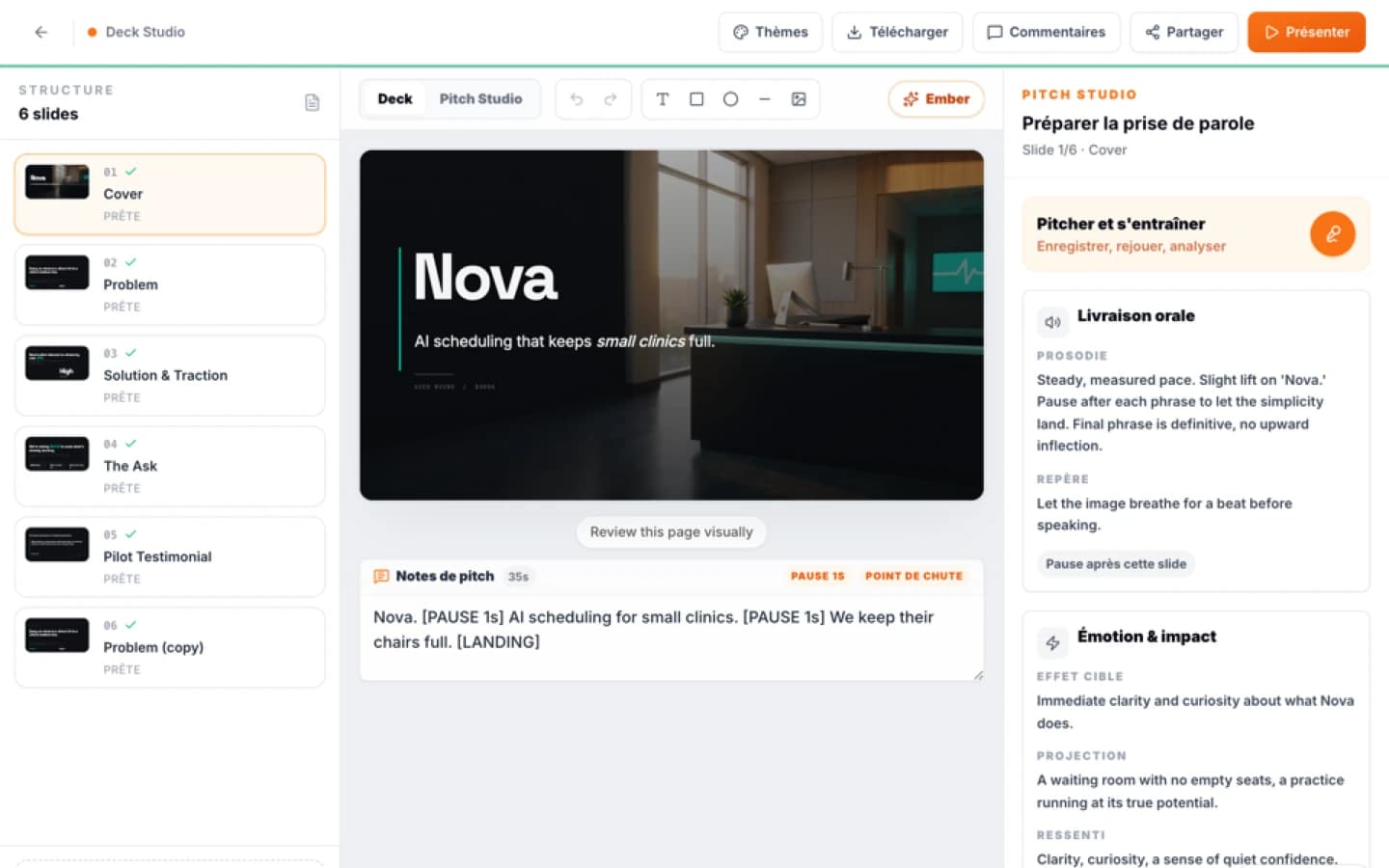
When orchestrating capture decks and strategic deliverables, Ember Creation builds the initial narrative structure, slide messaging, and visual architecture directly from your project context. It handles eight distinct formats, including decks, investor one-pagers, and market maps.
However, business founders and proposal managers must understand how format exports behave from an accessibility standpoint. In Ember, exporting a deck to PDF renders each slide page as an image. This format preserves visual precision for visual reviews, but because it flattens text into the canvas without accessibility tags, it cannot be read by screen readers.
To achieve federal Section 508 compliance with an Ember deck, choose the PowerPoint export option. The PowerPoint export places slide copy into native text boxes, allowing you to edit text, set hierarchy, and verify reading order. Because exported SVG graphics and charts are rasterized into images without embedded alt text, you must complete the final compliance phase directly in PowerPoint:
- Open the exported presentation in PowerPoint on your desktop.
- Launch the Accessibility Checker from the Review ribbon to surface missing labels and suspicious reading sequences.
- Open the Reading Order pane to confirm that elements read sequentially from top to bottom.
- Manually write the short alternative descriptions for all technical diagrams and insert the underlying data values for charts.
- Save the audited presentation file for your federal submission archive.
Ember accelerates the initial briefing from raw proposal context into an executive-ready deck, while your post-export verification ensures the file satisfies the rigorous technical criteria demanded by federal procurement officers.
Sources
- Section508.gov: Home
- ADA Accessibility Standards
- Digital Accessibility Audit Checklist
- US Access Board, official notice on GSA's FY 2025 governmentwide Section 508 assessment: source S1
- W3C WAI, Complex Images : source S1
- Microsoft, Make your PowerPoint presentations accessible to people with disabilities : source S2
- Microsoft, Make slides easier to read by using the Reading Order pane : source S1
- Ember Création, artefacts visuels éditables
FAQ
Mini audit
Test your Pitch Deck
Get an initial diagnosis of substance, form and impact.